
AI polish and presets
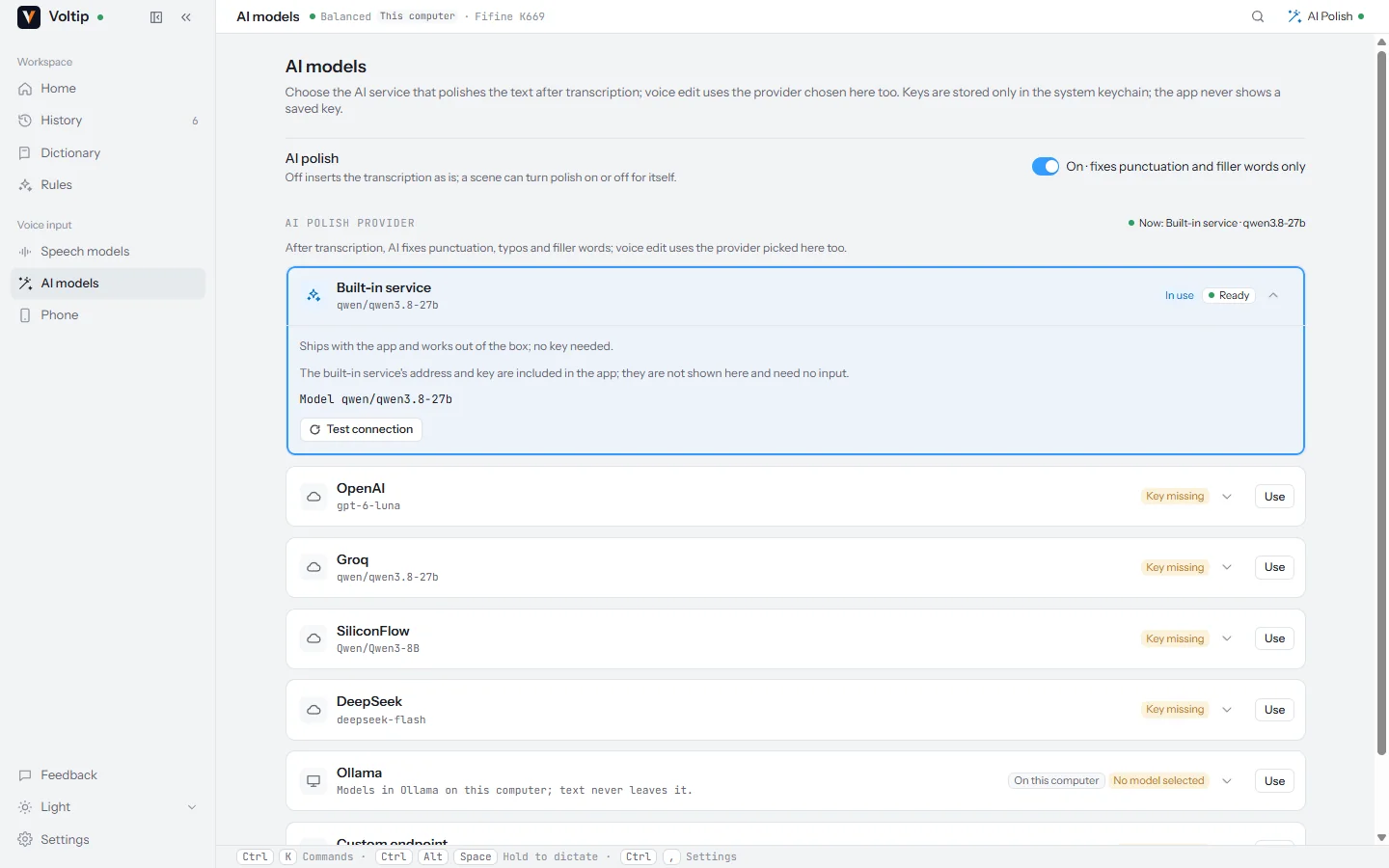
AI polish tidies the recognised text before it is inserted: it fixes punctuation and typos and removes filler words and repetitions. It does not change what you said, translate it or add to it.
Turn it on or off with the AI polish switch in the title bar. A scene can turn it on or off for a particular app.
Services
AI polish uses the service chosen on the AI models page: the built-in service, OpenAI, Groq, SiliconFlow, DeepSeek, a local Ollama, or any OpenAI-compatible endpoint. See Cloud services for setting one up.
If the service does not answer, the recognised text is inserted without polish, and the dictation is not lost.
Styles
A scene can choose one of three styles for the apps it covers:
| Style | Effect |
|---|---|
| Standard | Punctuation, typos and filler words, as described above |
| Punctuation only | Adds punctuation and changes nothing else |
| Formal | Rewrites spoken phrasing into written language |
What the AI service receives
- The recognised text, after the dictionary corrections. Never audio.
- The name of the app you are dictating into. You can turn this off.
- The window title, only if you turn it on.
- The extra instructions of the scene that applies, if any.
- The correct spellings from your dictionary, so that the service keeps them as written.
The two switches are under Settings → Scenes, in Context sent to AI polish. They apply only while AI polish is on; the recognition service never receives this context.
With the Type as you speak output mode, sentences are inserted as they are recognised, so AI polish does not run.
Presets
In developmentIn development: several built-in presets, switched from the home page, from a menu next to the AI polish switch, or from the tray.
| Preset | What it does |
|---|---|
| Proofread (default) | Fixes typos, homophones and punctuation, splits paragraphs, removes filler words and stutters. When you correct yourself ("no, I mean…"), only the corrected wording is kept |
| Prompt | Rewrites a spoken request into a clear prompt for another AI: one precise instruction for a simple request, a numbered list when there are several points |
| Intent | Keeps the corrections, removes repetition and turns several points into a list |
| Chat | Short, conversational sentences without a closing full stop |
| Translate | Fixes recognition errors, then translates between Chinese and English |
| Notes | Key points and to-dos as two lists, without adding facts |
| Punctuation only and Formal | The two styles above, as presets |
You will also be able to write your own presets, try them on a sample text before saving, and choose a preset per scene.